Browse 7,300+ ready-made Tailwind CSS components across 60 categories. Every variant is fully responsive – copy the code or customize it in the visual editor and export clean code.
 Tailwind CSS
Full Shuffle access forever for $249
Pay once, ship unlimited projects. No subscription, no renewals, all future updates included.
Get Lifetime AccessNew to Shuffle? Try our tools:

Create a free account to copy production-ready code from every component in the library.
Free account · No credit card · No password needed
Already have an account? Sign in

Create a free account to copy production-ready code from every component in the library.
Free account · No credit card · No password needed
Already have an account? Sign in


Create a free account to copy production-ready code from every component in the library.
Free account · No credit card · No password needed
Already have an account? Sign in

Create a free account to copy production-ready code from every component in the library.
Free account · No credit card · No password needed
Already have an account? Sign in

Create a free account to copy production-ready code from every component in the library.
Free account · No credit card · No password needed
Already have an account? Sign in
A dark marketing hero section for the Basko brand-building tool, featuring a navigation bar, a serif headline, primary and secondary call-to-action buttons, social proof avatars, and a framed dashboard screenshot on a gradient border. The two-column layout places text on the left and the illustrative app preview on the right.

Create a free account to copy production-ready code from every component in the library.
Free account · No credit card · No password needed
Already have an account? Sign in
A marketing hero section for the Basko brand featuring a navigation bar, a large serif headline, supporting text, a purple call-to-action button, and a collage of a gradient stat card (168% Monthly Revenue) with two rounded photos of people. The layout is centered at the top with a split visual arrangement below.

Create a free account to copy production-ready code from every component in the library.
Free account · No credit card · No password needed
Already have an account? Sign in

Create a free account to copy production-ready code from every component in the library.
Free account · No credit card · No password needed
Already have an account? Sign in

Create a free account to copy production-ready code from every component in the library.
Free account · No credit card · No password needed
Already have an account? Sign in
A light-background FAQ section with a gradient pill badge and large serif heading on the left, and five outlined accordion rows with chevron icons on the right. The split layout pairs introductory copy with expandable question rows.

Create a free account to copy production-ready code from every component in the library.
Free account · No credit card · No password needed
Already have an account? Sign in
A pricing comparison section showing Basic and Pro subscription plans side by side, each with a price header, feature rows, and a trial call-to-action button. A segmented Annual/Monthly billing toggle sits above the cards with a savings message.

Create a free account to copy production-ready code from every component in the library.
Free account · No credit card · No password needed
Already have an account? Sign in
A centered hero section with a gradient pill badge, a serif headline, and supporting text, followed by rows of rounded pill-shaped chips showing third-party tool names with brand icons. Outer edge chips fade out, suggesting a scrolling or marquee-style display.

Create a free account to copy production-ready code from every component in the library.
Free account · No credit card · No password needed
Already have an account? Sign in
A marketing section headed "What our clients say" showing a horizontally scrolling carousel of rounded white testimonial cards, each with an avatar, name, handle, Twitter bird icon, and quoted text. The outer cards fade out at the left and right edges, indicating more reviews beyond the visible area.

Create a free account to copy production-ready code from every component in the library.
Free account · No credit card · No password needed
Already have an account? Sign in
A marketing-style section with a serif "New Articles" heading above two side-by-side article cards, each with an image, purple Insights category label, date, bold title, and short excerpt. Cards are arranged in a simple two-column grid with generous whitespace.

Create a free account to copy production-ready code from every component in the library.
Free account · No credit card · No password needed
Already have an account? Sign in
A two-column section with a customer testimonial and logo on the left and a free trial signup form on the right. The form includes first name, last name, email, phone, optional company fields, and a purple full-width call-to-action button.

Create a free account to copy production-ready code from every component in the library.
Free account · No credit card · No password needed
Already have an account? Sign in
A dark-background marketing section with a serif heading and two large gradient statistic figures (55% and 43%) beside a vertical photo with a pink-to-purple gradient overlay. The two-column split layout pairs the image on the left with the heading and stats on the right.
Create a free account to copy production-ready code from every component in the library.
Free account · No credit card · No password needed
Already have an account? Sign in
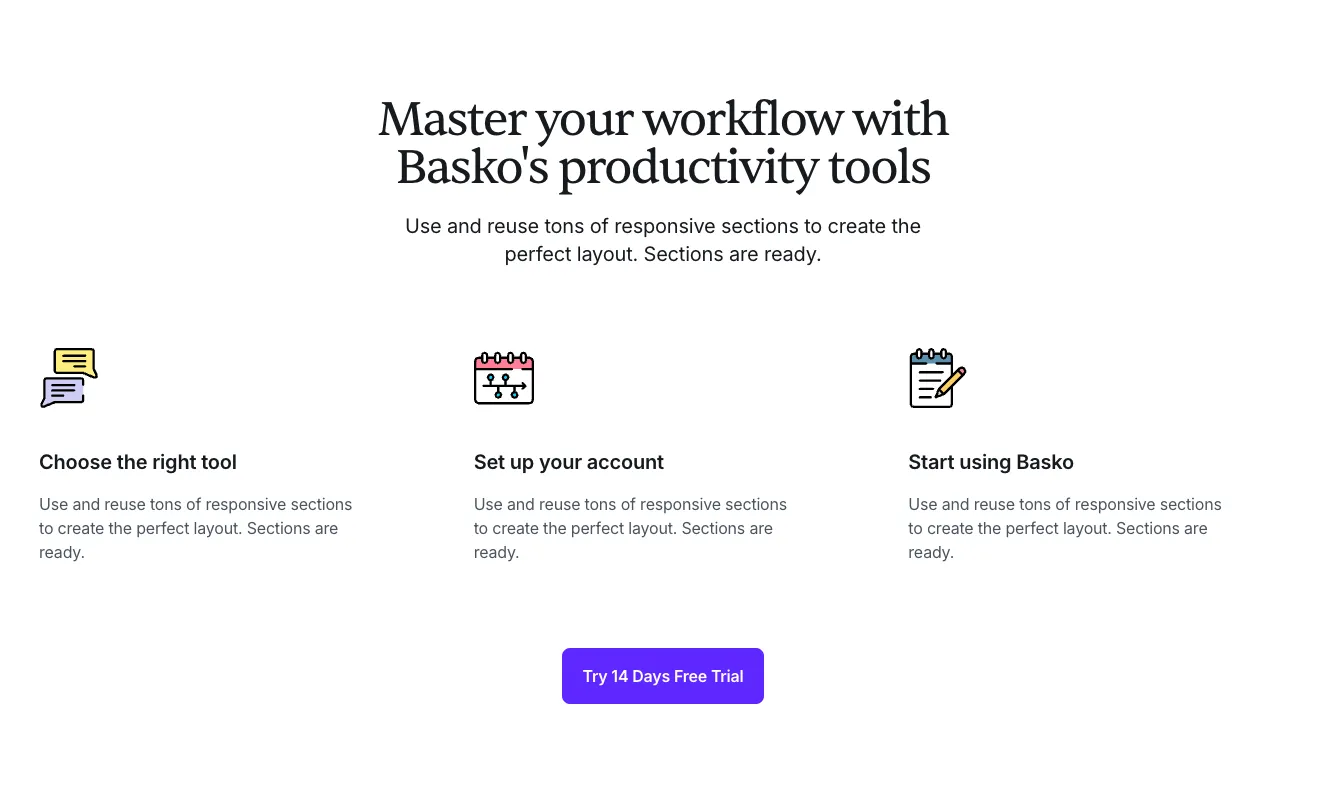
A centered marketing section with a serif headline, subtext, and three columns each showing an icon, bold heading, and body copy describing workflow steps. A purple call-to-action button labeled "Try 14 Days Free Trial" sits below the columns.

Create a free account to copy production-ready code from every component in the library.
Free account · No credit card · No password needed
Already have an account? Sign in
A centered dark-background sign-in form with a serif "Welcome Back!" heading, a supporting paragraph, email and password fields side by side, a Remember Me checkbox with a Forgot Password link, and a full-width purple Sign In button.

Create a free account to copy production-ready code from every component in the library.
Free account · No credit card · No password needed
Already have an account? Sign in
A three-column marketing feature section on a white background, each column showing a gradient outline icon, a bold heading, centered body text, and a purple text link. It introduces customization, brand fit, and multi-layer design capabilities.

Create a free account to copy production-ready code from every component in the library.
Free account · No credit card · No password needed
Already have an account? Sign in
A dark-themed page footer that opens with a gradient promotional banner containing a serif heading and a dark call-to-action button for a free trial. Below the banner, four columns of text links are organized under the headings Company, Help, Resources, and Links.

Create a free account to copy production-ready code from every component in the library.
Free account · No credit card · No password needed
Already have an account? Sign in
A centered social-proof section with a heading and a grid of six placeholder customer logos in two rows of three, followed by a short supporting line inviting visitors to join satisfied customers. It uses a plain white background with no interactive controls.

Build websites faster with an AI Visual Editor



© 2026 Shuffle. All rights reserved.
See what you're getting before you commit.
Bring your designs to life with smooth, looping background videos. In the Multi-AI Designer, click "Add media" and create a video from your own image or one generated by AI, then mark where your text goes so it stays easy to read. Watch the video to see how it works.
Switch the editor to Grid and every page of your project appears side by side on one canvas. Arrange them freely, zoom in and out, and add as many new pages as you need in a few clicks.
Describe what you need in one chat and the Agent does the rest: it adds new sections, edits copy and styles, moves blocks around or removes them across your whole page. No modes, no switching, just tell it what to change.
























