Shuffle's Editors



Shuffle’s design systems






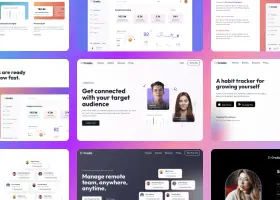

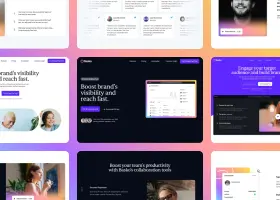

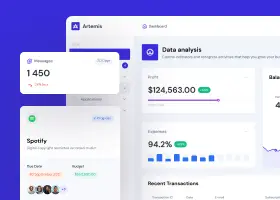

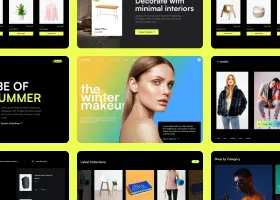

Redesign your website with AI.
Paste your URL and describe your vision. Watch multiple AI models redesign it side by side. Pick your favorite and customize it visually in Shuffle.
Your current website & redesign vision
Once started, all models run in parallel and generate independent redesign variants.
Turn your redesign into a finished website.
You have a fresh look. Upgrade to carry it across your whole site and ship it.
- Redesign every page, not just the homepage
- Polish every detail in the visual editor
- Export clean code and host it anywhere
- Keep generating fresh AI designs as you go
Please enter a valid website URL (e.g. https://yourwebsite.com).
Prompt Builder
Set your website's structure and styling with a clear, precise prompt.
Configure your sections
Prompt improvement
See every design at a glance and compare them side by side. 2 per row
Bigger previews that make it easier to judge details.
See how each design looks on a full-width desktop screen. Mobile preview
Check how each design adapts to a small phone screen.
Available on Desktop
Anthropic / Claude Opus 5.5

Ready to start
Draft a prompt and start the generation process.
Available on Desktop
OpenAI / GPT-6
Ready to start
Draft a prompt and start the generation process.
Available on Desktop
Google / Gemini 4 Argon
Ready to start
Draft a prompt and start the generation process.
Available on Desktop
Google / Gemini 3.8 Flash
Ready to start
Draft a prompt and start the generation process.
Stop ?
Most designs are ready in about 2 minutes. If you stop now, this design won’t be saved. The other models keep generating.
This generation already counts toward your demo limit, so stopping won’t give it back. Need more tries? A Lifetime License includes 1,000 AI generations every month.

Unlock export for all your projects
Download every project you create as production-ready code, for the platform your website already runs on.
You can also import your project into Figma, fully editable. New
Export every design for 7 days · One-time payment, nothing renews
Learn how to edit generated projects
Once you pick your favorite AI-generated redesign, open it in Shuffle and start customizing. Adjust layouts, swap components - all visually or with AI, no coding required.
- ✓ Edit any element with a click.
- ✓ Export to Next.js, Laravel, WordPress, and more.
- ✓ Production-ready clean code, every time.
Featured designs
Explore community-generated prompts and their live AI design results.
From outdated to outstanding in minutes
AI doesn't replace your design judgment - it handles the repetitive front-end work so you can focus on what actually matters.
Audit & define goals
Identify what's working, what's not, and set clear objectives - conversion, modernization, or usability.
Paste URL & prompt
Enter your site URL and describe your vision. Multiple AI models generate independent redesigns in parallel.
Compare & pick
See all results side by side. Each model interprets your prompt differently - pick the direction that clicks.
Refine visually
Drag, drop, tweak components, typography, and colors - no CSS required. Fine-tune until it's exactly right.
Export clean code
Get production-ready code in Next.js, Laravel, WordPress, or plain HTML/CSS - ready to drop into your project.
AI handles the repetitive build work. You focus on decisions that require your expertise and business context.
Claude, GPT, Gemini, and others each interpret your brief uniquely. More options means a better final result.
First impressions matter. A fresh, modern design directly impacts trust, engagement, and conversions.
Write prompts that get results
"Increase SaaS trial sign-ups" is more actionable than "make it look better." AI optimizes toward the outcome you describe.
Tell the AI what to fix: "modernize the hero section," "simplify navigation," "add social proof above the fold."
Include style cues like "minimalist layout, deep blue palette, bold typography" to anchor the aesthetic output.
Give Your Website the Upgrade It Deserves
Turn your current website into a modern, professional one, then launch it on the platform you already use.
The Shuffle Advantage
Built for Non-Designers
AI does the heavy lifting. You pick the direction and make the final calls.
No Lock-In
Your redesign is clean code you own. Export to WordPress, Shopify, Next.js, static HTML, and more.
From Old Site to New in an Afternoon
Paste your URL, compare AI redesign concepts, and refine your favorite.
The selected plan includes lifetime access to Multi-AI Designer and Shuffle Editor.
Add media
How should the AI use your file? Pick an option to continue.
Include in the project
The AI will include it in the generated projects (upload logo, icons, videos, or other visual elements).
Reference uploads are available only for new designs.
In redesign mode, the URL you provide is already used as the reference. To use a standalone screenshot/mockup instead, switch mode to the new website and upload it there.
Uploading file, please wait
Your prompt extension
Clearly tell the AI where to insert the asset and how to position any related content (for example, "Use it as a logo").
Build websites faster with an AI Visual Editor



Products
Extensions
UI Components
Company
© 2026 Shuffle. All rights reserved.
Your next idea deserves a design
Keep creating with Multi-AI Designer
You created your last Multi-AI Design on .
You've used your free Multi-AI Design demo.
The free demo includes one Multi-AI Design try.
Your projects are ready!
Open any design to make it your own, then export code straight from Shuffle.
Customize your projects in Shuffle Editor, visually or with AI. Watch the video above to see how easy it is.
Unlock DESIGN.md with a full account
- Generate a reusable design.md that agents can follow to recreate this design in new or existing projects.
- Keep access to your projects and export them in Next.js, Laravel, WordPress, plain HTML, and more.
- Use built-in AI inside Shuffle Editor to refine layouts, content, and visuals after you upgrade.
Demo projects are marked for deletion after 6 hours. To keep your work and unlock design.md, sign up for a full account.
Captured screenshot
Scroll to see full page
What's new
See what you're getting before you commit.
See your whole project at once
Switch the editor to Grid and every page of your project appears side by side on one canvas. Arrange them freely, zoom in and out, and add as many new pages as you need in a few clicks.
The AI Agent just got a lot more powerful
Describe what you need in one chat and the Agent does the rest: it adds new sections, edits copy and styles, moves blocks around or removes them across your whole page. No modes, no switching, just tell it what to change.
Multi-AI Designer can now regenerate designs
Not quite there yet? Ask for tweaks like missing assets, your logo or other details, and regenerate the design without starting from scratch.