Shuffle's Editors





Shuffle’s design systems













design.md for agent workflows
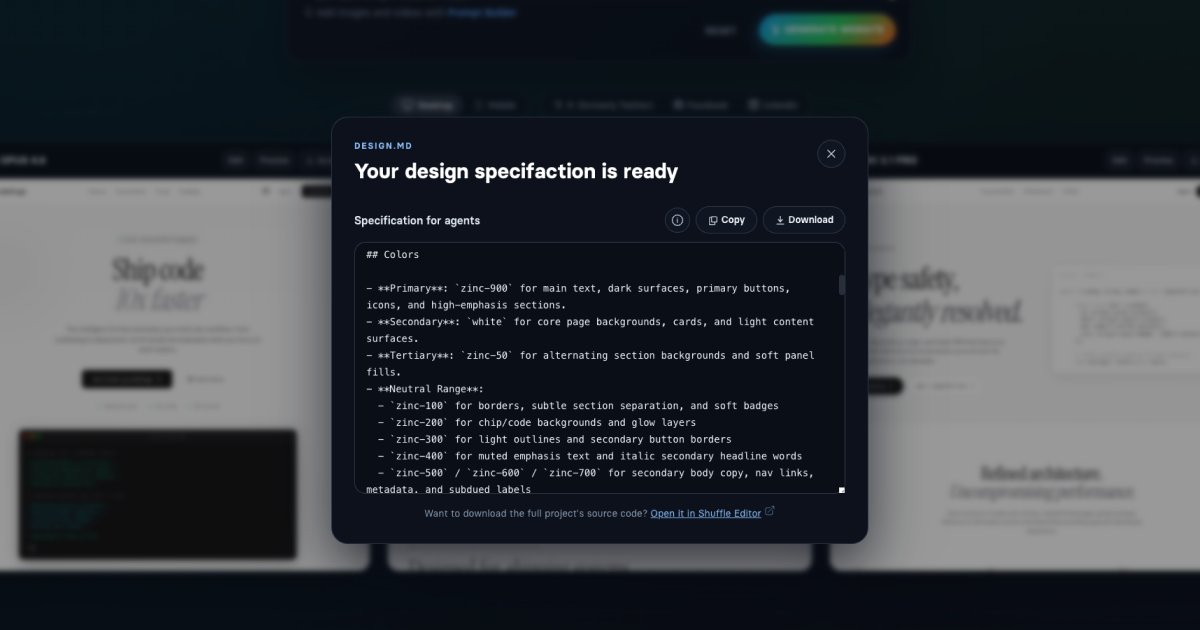
Turn your vision into a design.md handoff
DESIGN.md gives agents a design-focused spec they can read before writing code. Build the interface in Shuffle, export the file, and use it to recreate the same direction inside a fresh app or an existing codebase.
Create your design
Start in Shuffle, iterate on design, and build the project you want agents to follow.
Export design.md
Generate a portable design spec directly from the project instead of writing one by hand.
Build with agents
Drop the file into your repo and ask coding agents to match the exported design direction.
Export Preview
A clearer handoff for coding agents
design.md
# Overview
This design is a polished developer-focused SaaS landing page for an AI-powered CLI and code automation product.
## Colors
- **Primary**: `zinc-900` for main text, dark surfaces, primary buttons, icons, and high-emphasis sections.
## Typography
Typography combines expressive serif display headlines with clean sans-serif interface text and monospaced code treatments.
- **Headline Font**: `Instrument Serif`
Shuffle Project
From visual editor to agent-ready spec
Use Shuffle to define the UI once, then export the design language into a file agents can act on.