Shuffle's Editors



Shuffle’s design systems









Create beautiful newsletters
Start with a prompt and watch multiple email designs come to life. Compare them side by side, pick the winner, and download clean HTML.
Describe the newsletter you want to create
For the best result, include your audience, goal, main offer or story, preferred sections, tone, and brand style.
Turn your design into a finished campaign.
You have a direction. Upgrade to build out the rest and send it.
- Design every email in your campaign
- Export clean HTML for any email platform
- Keep generating fresh AI designs as you go
Prompt Builder
Set your website's structure and styling with a clear, precise prompt.
Configure your sections
Prompt improvement
See every design at a glance and compare them side by side. 2 per row
Bigger previews that make it easier to judge details.
See how each design looks on a full-width desktop screen. Mobile preview
Check how each design adapts to a small phone screen.
Available on Desktop
Anthropic / Claude Opus 5.5
Available on Desktop
OpenAI / GPT-6
Available on Desktop
Google / Gemini 4 Argon
Available on Desktop
Google / Gemini 3.8 Flash
Stop ?
Most designs are ready in about 2 minutes. If you stop now, this design won’t be saved. The other models keep generating.
This generation already counts toward your demo limit, so stopping won’t give it back. Need more tries? A Lifetime License includes 1,000 AI generations every month.
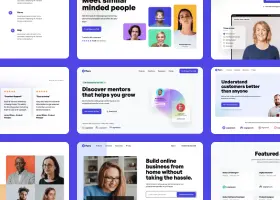
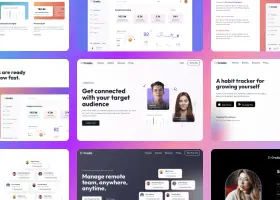
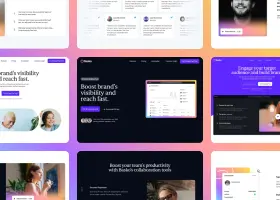
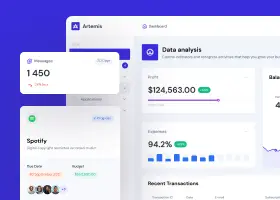
Featured designs
Explore community-generated prompts and their live AI design results.
Design a post-purchase email for a direct-to-consumer brand Amazon. Use this image as logo (it has dark text, so should be on light background): - Image source: https://static.shuffle.dev/uploads/composer/88/887c26e5-a947-4df1-8993-e88b6c9c06d1/amazon.png - File Information: dimensions: 2400 x 723 px, orientation: landscape Include order appreciation, shipping expectations, brewing tips, product care, cross-sell recommendations, and a referral CTA. Make it warm, premium, and useful. User purchased this item: High Presure Rice Cooker: $333.89 Use this image in the design: - Image source: https://static.shuffle.dev/uploads/composer/fe/fe475318-51a5-4596-93d4-7614be503568/1.jpg - File Information: dimensions: 510 x 200 px, orientation: landscape Recommend him these: Coffee Maker: $132.30 Use this image in the design: - Image source: https://static.shuffle.dev/uploads/composer/2b/2ba393f9-a660-4896-b53f-fecc966fbac3/2.jpg - File Information: dimensions: 225 x 150 px, orientation: landscape Pots and Pans Set: $79.99 Use this image in the design: - Image source: https://static.shuffle.dev/uploads/composer/51/514eb57a-e6fc-4fd9-a2e1-cb0ce0d6e71a/3.jpg - File Information: dimensions: 225 x 150 px, orientation: landscape Kattle: $23.57 Use this image in the design: - Image source: https://static.shuffle.dev/uploads/composer/a2/a2b7c6ba-734d-441e-8485-5584fb7b1b73/4.jpg - File Information: dimensions: 225 x 150 px, orientation: landscape All content should be in 600px width container.
Remix this designOne prompt, multiple AI email designs, ready-to-use HTML
Shuffle's AI Email Design Generator turns a campaign brief into multiple newsletter and marketing email concepts, so you can compare layouts, choose the best direction, and download clean HTML.
Describe your email campaign
Write a prompt with your audience, offer, message, brand style, and email sections. Clear campaign details help the AI create stronger email designs.
AI models generate options
Claude, GPT, Gemini, and Kimi receive your prompt simultaneously and create independent AI email design concepts in parallel.
Compare email layouts
Review every AI-generated email design in a live preview grid. Compare newsletter layouts, campaign hierarchy, visuals, and calls to action side by side.
Pick the best design
Choose the email design that fits your campaign goal, audience, and brand. Multiple AI options make it easier to spot the strongest direction.
Download clean HTML
Export the selected AI email design as clean HTML that you can use in your newsletter, launch, announcement, or marketing email workflow.
Each model brings a different approach to structure, messaging, and visual style, giving you more high-quality email design options from a single prompt.
See every AI email design at once instead of regenerating blindly. Compare newsletter layouts, promotional emails, and announcement concepts with confidence.
Once you find the best AI email design, download clean HTML and move it into your email platform, campaign builder, or production workflow.
Write prompts for better AI email design
"Product launch email that drives demo bookings" beats "make a nice newsletter." Clear intent helps every model design around conversion.
Mention the blocks you need, such as hero, offer, features, testimonial, product image, discount, and CTA. The AI builds more complete email layouts.
Add style cues like "premium SaaS, editorial newsletter, bold launch campaign, minimal B2B" to guide the AI email design and reduce revisions.
Create Better Emails, Faster
From newsletters to product launches, turn your ideas into professional emails with AI, then export clean HTML for your email platform.
The Shuffle Advantage
All-in-One Toolkit
Get access to everything you need to create beautiful websites: Shuffle Editor, Multi-AI Designer, Components Gallery, and Design CLI.
No Lock-In
Export code to Next.js, Astro, Laravel, WordPress, static HTML, and more.
10x Faster Development
AI creates layouts in seconds so you can stay focused on building, not designing.
The selected plan includes lifetime access to Multi-AI Designer and Shuffle Editor.
Add your own assets to the design
The AI will include it in the generated projects (upload images, logo, icons).
Reference uploads are available only for new designs.
In redesign mode, the URL you provide is already used as the reference. To use a standalone screenshot/mockup instead, switch mode to the new website and upload it there.
Uploading file, please wait
How it works
Your uploaded image will be added directly to the generated section. After uploading, you can guide the AI on where exactly to use it, e.g. as a logo or as a section image.
The AI will scan your image and use it as a UX/UI suggestion (layout, structure, colors and style) for the new design. The image itself won't be placed in the project.
Your prompt extension
Clearly tell the AI where to insert the asset and how to position any related content (for example, "Use it as a logo").

Build websites faster with an AI Visual Editor



Products
Extensions
UI Components
Company
© 2026 Shuffle. All rights reserved.
Your next idea deserves a design
Keep creating with Multi-AI Designer
You created your last Multi-AI Design on .
You've used your free Multi-AI Design demo.
The free demo includes one Multi-AI Design try.
Email template
Your email code is ready to unlock
Get a full account to copy and download the HTML of your email design.
- Copy or download email HTML, ready to paste into your email platform.
- Generate more designs and compare AI models side-by-side.
- Design websites and landing pages too, with visual editing of images and text.
- Export code in Next.js, Laravel, WordPress, plain HTML, and more.
Already have an account? Sign in
Demo projects are marked for deletion after 6 hours. Sign up to keep your work.
What's new
See what you're getting before you commit.
See your whole project at once
Switch the editor to Grid and every page of your project appears side by side on one canvas. Arrange them freely, zoom in and out, and add as many new pages as you need in a few clicks.
The AI Agent just got a lot more powerful
Describe what you need in one chat and the Agent does the rest: it adds new sections, edits copy and styles, moves blocks around or removes them across your whole page. No modes, no switching, just tell it what to change.
Multi-AI Designer can now regenerate designs
Not quite there yet? Ask for tweaks like missing assets, your logo or other details, and regenerate the design without starting from scratch.