






















Waiting
Customize and export code (opens in a new tab)Compare designs
Each model builds its own version. Pick your favorite and customize it.
Desktop preview
See how each design looks on a full-width desktop screen. Mobile preview
Check how each design adapts to a small phone screen.
See how each design looks on a full-width desktop screen. Mobile preview
Check how each design adapts to a small phone screen.
How to create best testimonials components?
Choose specific customer stories. Provide approved quotes, customer names, roles, and relevant company details. Tell the AI which story best supports the message of the page.
Let the quote lead. Specify a featured testimonial, a small collection, or another arrangement. Ask for clear attribution and use portraits or company logos only when you have appropriate assets.
Review the balance. Compare a short quote with a longer account of the customer experience. Keep the words readable, avoid invented endorsements, and make sure attribution stays visible.
Examples of testimonials components
NEUB
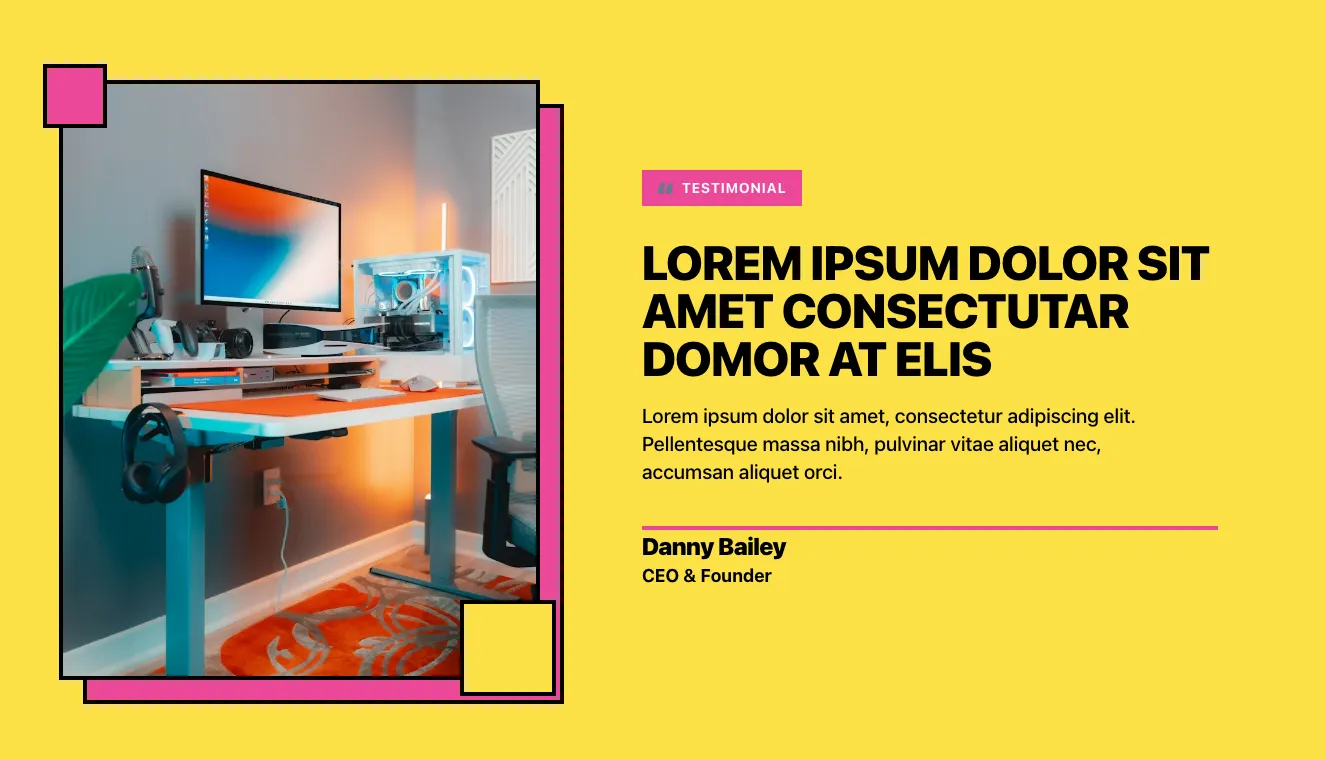
Testimonial Section with Photo and Yellow Background
A split-screen testimonial section with a framed photo of a desk setup on the left and a pink "Testimonial" tag, bold uppercase heading, quote body text, and attribution to Danny Bailey, CEO & Founder, on the right. Decorative pink offset frame and squares add a bold graphic style on a yellow background.

Vista
Dark Testimonials Carousel with Pink Speech Bubble Quote
A centered testimonials section on a dark background with a small eyebrow label, a bold heading, a single pink speech-bubble quote card, and pagination indicators showing a multi-slide carousel. The quote card has a tail pointing downward and a dark offset shadow layer beneath it.

Acros
Split-Screen Testimonial with Portrait and Serif Quote
A testimonial section with a portrait photo on the left and a serif quotation, supporting text, author avatar, name, and title on the right. Pagination dots sit at the bottom right, and a teal quotation mark accents the quote.

Casper
Dark Hero Section with Stacked Testimonial Cards and 3D Robot Mascot
A dark-themed hero section with a large heading claiming trust from over 100k people, supporting text, and a call-to-action button on the left, paired with a staggered stack of customer testimonial cards showing avatars, names, titles, five-star ratings, and quotes on the right. A decorative 3D robot character with a sword sits at the lower left.
Explore component generators
Generate any section of your website with the same multi-model workflow.
No categories match your search.



