Can't find the right component?
Describe it and Shuffle AI builds it in seconds, ready to edit and export.
Browse 365 ready-made components from the Asitrastudio UI library. Every variant is fully responsive – copy the code or customize it in the visual editor and export clean code.
Create a free account to copy production-ready code from every component in the library.

Free account · No credit card · No password needed
Already have an account? Sign in
A single-line yellow alert banner with a rounded outlined container, a warning icon, and a message asking the user to confirm their email address before viewing content. It has no dismiss control or action button visible.
Create a free account to copy production-ready code from every component in the library.
Free account · No credit card · No password needed
Already have an account? Sign in
A light-background about section with a large heading, short link, descriptive paragraph about a real estate investment firm, and four labeled statistic rows separated by horizontal rules. Content is arranged in a two-column split with the heading and link on the left and text and stats on the right.
Create a free account to copy production-ready code from every component in the library.
Free account · No credit card · No password needed
Already have an account? Sign in
A split-layout team section with a large "Meet the team" heading on the left and a vertical list of six members on the right, each showing a circular headshot, job title, and name separated by horizontal rules. It presents people rather than products or app features, with no interactive controls visible.
Create a free account to copy production-ready code from every component in the library.
Free account · No credit card · No password needed
Already have an account? Sign in
A two-column contact section with a heading, intro text, phone and email info cards, a location address with a map preview on the left, and a white contact form with rounded inputs and a black Send message button on the right.
Create a free account to copy production-ready code from every component in the library.
Free account · No credit card · No password needed
Already have an account? Sign in
A cookie consent notice with a cookie icon, heading, explanatory paragraph, and two rounded buttons for accepting or declining cookies, plus a close icon in the top right. The layout is a horizontal row with text on the left and stacked actions on the right.
Create a free account to copy production-ready code from every component in the library.
Free account · No credit card · No password needed
Already have an account? Sign in
A horizontal breadcrumb trail showing a page hierarchy separated by slash dividers, with Homepage, Services, and Lorem Ipsum as text links on a light gray background. It provides location context and navigation within a site.
Create a free account to copy production-ready code from every component in the library.
Free account · No credit card · No password needed
Already have an account? Sign in
Create a free account to copy production-ready code from every component in the library.
Free account · No credit card · No password needed
Already have an account? Sign in
A marketing section headed by a large 'Services' title above three equal-width outlined rounded cards, each with a heading and short paragraph describing a project phase. The layout is a horizontal row of cards on a light background with no visible buttons or images.
Create a free account to copy production-ready code from every component in the library.
Free account · No credit card · No password needed
Already have an account? Sign in
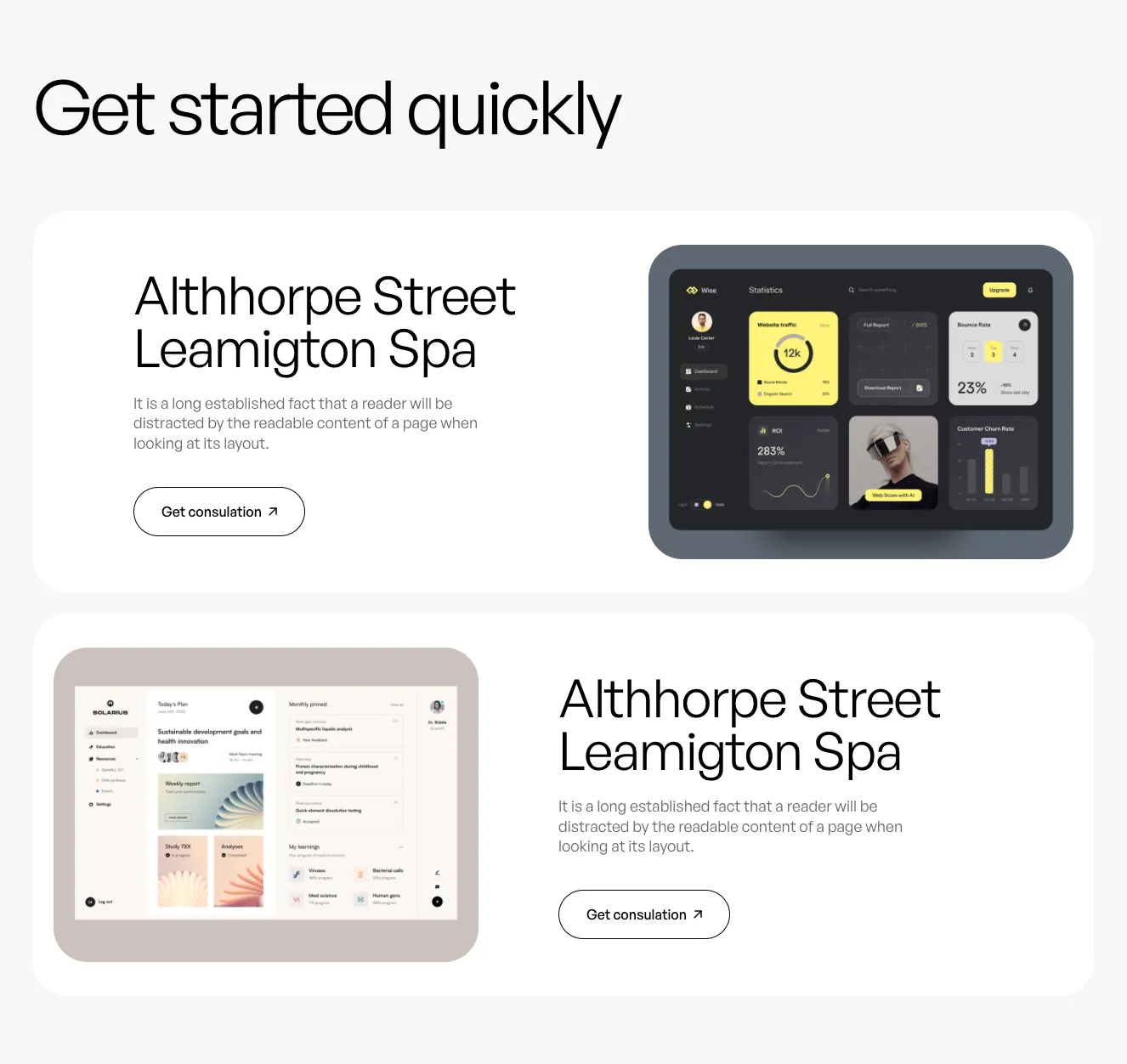
A marketing section headed "Get started quickly" containing two alternating feature rows, each pairing a heading, body text, and a "Get consultation" outlined button with a dashboard screenshot inside a rounded tinted frame. The layout is a split-screen feature section on a light background.
Create a free account to copy production-ready code from every component in the library.
Free account · No credit card · No password needed
Already have an account? Sign in
A horizontal header navigation bar with text links (About, Services, Projects, Contact us) on either side of a centered wordmark logo, ending with an outlined pill-shaped call-to-action button labeled 'Get consulation' with an arrow icon. The layout is clean and minimal on a light background.
Create a free account to copy production-ready code from every component in the library.
Free account · No credit card · No password needed
Already have an account? Sign in
Create a free account to copy production-ready code from every component in the library.
Free account · No credit card · No password needed
Already have an account? Sign in
Create a free account to copy production-ready code from every component in the library.
Free account · No credit card · No password needed
Already have an account? Sign in
Create a free account to copy production-ready code from every component in the library.
Free account · No credit card · No password needed
Already have an account? Sign in
Create a free account to copy production-ready code from every component in the library.
Free account · No credit card · No password needed
Already have an account? Sign in
Create a free account to copy production-ready code from every component in the library.
Free account · No credit card · No password needed
Already have an account? Sign in
Create a free account to copy production-ready code from every component in the library.
Free account · No credit card · No password needed
Already have an account? Sign in
Create a free account to copy production-ready code from every component in the library.
Free account · No credit card · No password needed
Already have an account? Sign in
Create a free account to copy production-ready code from every component in the library.
Free account · No credit card · No password needed
Already have an account? Sign in
Create a free account to copy production-ready code from every component in the library.
Free account · No credit card · No password needed
Already have an account? Sign in
© 2026 Shuffle. All rights reserved.
See what you're getting before you commit.
Switch the editor to Grid and every page of your project appears side by side on one canvas. Arrange them freely, zoom in and out, and add as many new pages as you need in a few clicks.
Describe what you need in one chat and the Agent does the rest: it adds new sections, edits copy and styles, moves blocks around or removes them across your whole page. No modes, no switching, just tell it what to change.
Not quite there yet? Ask for tweaks like missing assets, your logo or other details, and regenerate the design without starting from scratch.