



















How to Build Full-Stack Apps Faster with Shuffle Visual Editor and Claude Code

Benedykt Michalski
Inspirational Writer


Developers often spend hours bridging the gap between UI design and production-ready code. What if you could design visually, export clean code, and enhance it with AI, all in one smooth workflow? With Shuffle and Claude Code, that’s entirely possible. In this post, we’ll walk you through a step-by-step workflow that lets you go from visual design to fully-featured apps in record time.
Step 1: Design Your UI Visually with Shuffle
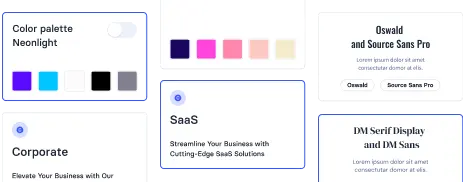
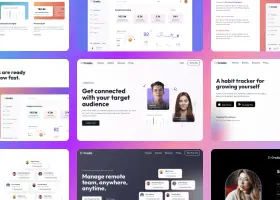
The first step in our workflow is building your user interface using Shuffle’s visual editor. Instead of writing HTML or React components from scratch, you can drag, drop, and configure UI elements visually or with AI.
Benefits of visual design with Shuffle:
- Instant feedback: see your app exactly as it will appear.
- Faster iteration: tweak layouts and components in seconds.
- Clear structure: no messy code to untangle early in the process.
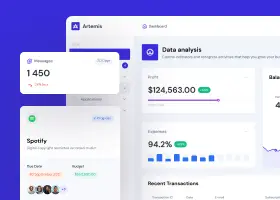
Example: Design a dashboard page by visually arranging cards, charts, and buttons. With Shuffle, what you see is what you build.
Step 2: Export to Production-Ready Code
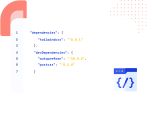
Once your design is ready, it’s time to export your UI into clean, framework-specific code. Shuffle supports several popular frameworks, including:
- Next.js – for React-based full-stack apps
- Laravel – for PHP web apps
- Symfony – for scalable, enterprise PHP apps
Exporting is as simple as a click. Shuffle generates code that’s well-structured, modular, and production-ready, meaning you don’t waste time rewriting what you just designed.
Example: Export a dashboard layout from Shuffle to Next.js. You’ll get reusable components, responsive layouts, and CSS ready for production.
Step 3: Enhance with Claude Code
With the UI exported, the next step is using Claude Code, an AI-powered coding assistant, to add features, optimize logic, or refactor code.
Here’s how it works:
- Start a Claude session with your exported code.
- Ask Claude to implement features, e.g., user authentication, API integrations, or data filtering.
- Review and test the enhanced code in your development environment.
Example: After exporting a dashboard page from Shuffle, you can ask Claude: “Add a live API feed to the dashboard and display the latest user stats.”
Why Shuffle + Claude Code Speeds Up Development
Combining visual UI design with AI-assisted feature enhancement transforms your development workflow:
- Rapid prototyping → quickly see what you’re building.
- Production-ready code → reduces manual coding errors.
- AI-enhanced development → implement complex features faster.
Instead of weeks of work, small projects can move from concept to deployment in a matter of days.
Tips & Best Practices
Conclusion
The workflow is simple but powerful:
- Design visually with Shuffle
- Export clean code to Next.js, Laravel, or Symfony
- Enhance with Claude Code
By combining visual UI building and AI-assisted coding, developers can speed up development, reduce errors, and focus on creating better user experiences.
Ready to try it? Start designing in Shuffle and let Claude Code help you bring your ideas to life.