















Tailwind Admin Template – Artemis

Benedykt Michalski
Inspirational Writer


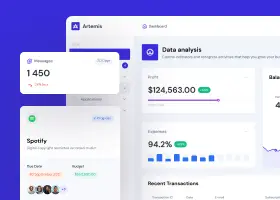
The basis of a well-managed business is the knowledge of its key metrics. Tailwind admin template Artemis will allow you to instantly build a clear and good looking template that meets this goal.
Tailwind Admin Template Content
Within Shuffle Editor you get access to over 20 UI libraries containing 3000+ components. Thanks to the drag & drop editor, working on building the template will be easy and fun.
The ability to edit styles and component code allows you to fully customize the template, as if you were writing it from scratch. Once you’ve assembled a layout you’re happy with, you can export it as HTML, Sass, Pug, and CSS files.
Artemis Tailwind Admin Template consists of over 182 ready-to-use components.
See them all live in editor or get full access now.
Layout
✅ Basic components for unplanned needs.
✅ 11 basic components and elements
✅ 8 forms components
Navigation
A variety of options to satisfy surprising customer requests.
✅ Vertical – 2
✅ Horizontal – 4
✅ Navbar – 16
Base
What is most important in dashboards – tables, statistics and other elements presenting data, users and changes over time.
✅ Headers – 12
✅ Content – 17

✅ Stats – 7
✅ Graphs – 7

✅ Stat tiles – 9

✅ Graph tiles – 3
✅ Tables – 20

✅ Banners – 5
Alerts
A wide range of messages to make users react.
✅ Primary – 16
✅ Secondary – 16
✅ Success -16
✅ Danger – 16
✅ Warning – 16
Shuffle Editor offer
In one subscription you get access to 4 editors – Tailwind Editor, Bootstrap Builder, Bulma Editor, Material-Ui Editor.
Every month we add more new templates. Experienced designers work on each of them, making them both beautiful and useful.
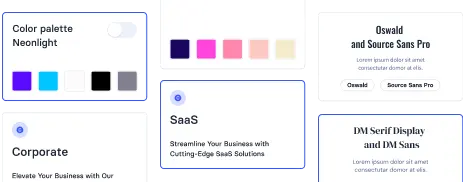
Our UI libraries consist of pre-made elements, but that doesn’t take away from your ability to edit them. You can instantly change their content, style, and color scheme in the editor. Under each component there is a clean and clear code, which in case of custom needs you can easily edit.
You can show preview of the template built this way to your colleagues to gather feedback without hosting it. When you’re ready to use it on your site, you simply export the sources – HTML, Sass, Pug, and CSS files.
Our mission as Shuffle is to make developers’ jobs easier. So that work on the site was more pleasant and faster. See for yourself – test the editor without registration.
Learn how to build useful and readable templates and get to know our Dashboard template in Bootstrap – Sirius UI