
















Three ways to change CSS styles.

Benedykt Michalski
Inspirational Writer


In this mini-tutorial, I’ll show you how to use three functions to change background color in your project. The background color is just an example, and you can change other properties in the same way.
This description applies to three editors, Bootstrap Shuffle, Bulma Builder, and Tailwind Builder. The screens come from Bootstrap Shuffle but are so readable that you will easily find the same functions in the editor you are using.
Note: The last method (Custom CSS) is a new feature, that’s why I created this mini-tutorial 🙂
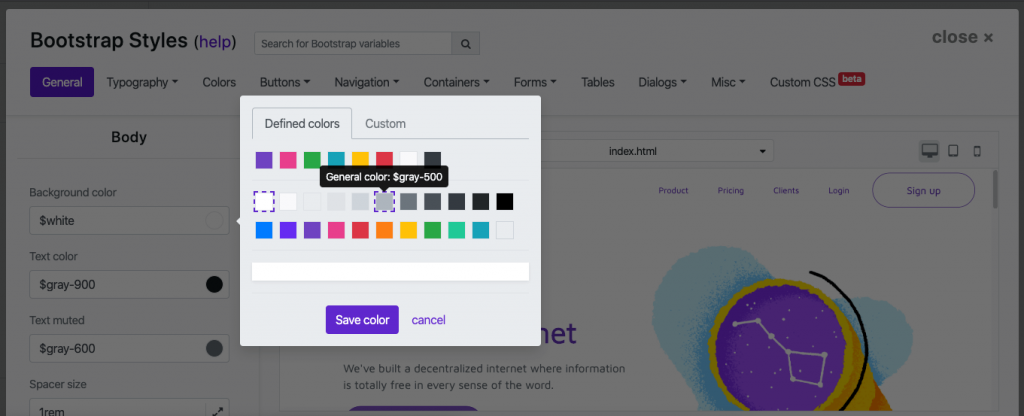
1. Visual panel with convenient pickers.
The easiest way to change your style is simply to find the right option in the variable settings of the CSS framework.
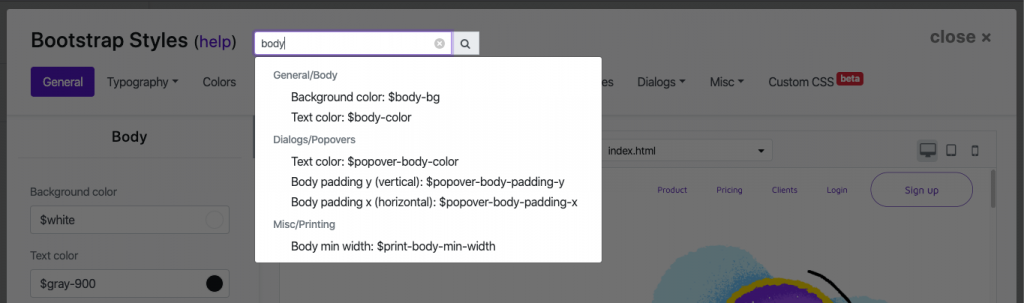
You can use a search bar for this.
2. HTML Structure
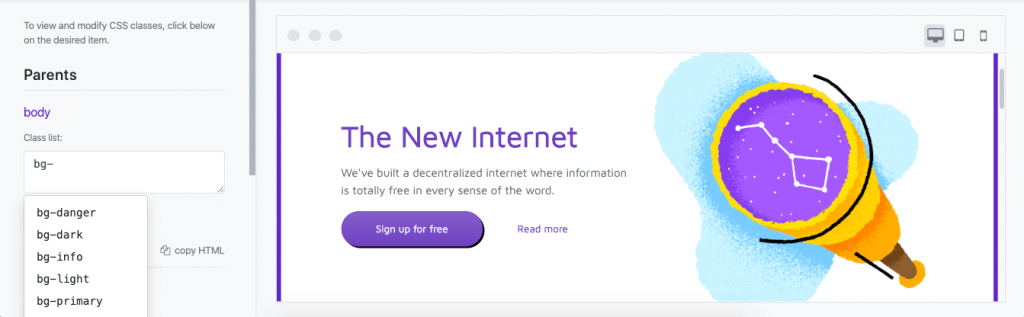
The second method is to add the appropriate CSS class to the body element. You can do this in the HTML Structure panel.
To open it:
- Hover over the component you want to edit.
- Click the “Content” icon.
- Go to the “HTML Structure” tab

Note: Each component you are editing has an additional “Parents” section, which includes a body element and a global wrapper.
You need a good knowledge of the CSS framework classes, but for ease of use, we have auto-completion, which will tell you the name of the class you are looking for.
You can read more about this panel here: “Using advanced editor functions to modify CSS classes“.
3. Custom CSS
We have made it possible to add your CSS code, so you can simply add a code that will change the background color for the body. Of course, you can create your CSS classes here and then add them in the HTML Structure panel (see step 2).
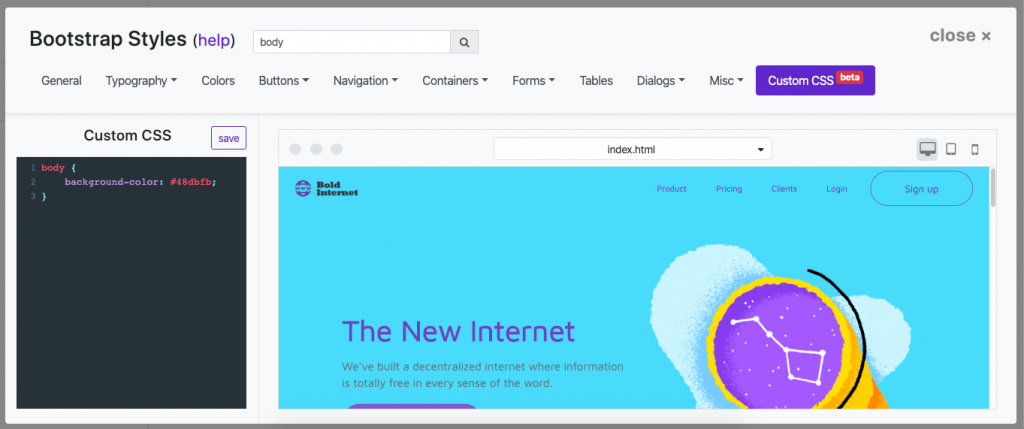
Note: Please use the Save button to save the CSS code. All other changes made in steps 1 and 2 are saved automatically. The CSS code can be so large that the autosave would be very inefficient (every time we save the changes, we have to recompile the framework to CSS).
Try it yourself: Bootstrap Shuffle