




Blog homepage » Entry
Bootstrap February 4, 2019

We updated our builder to support Bootstrap 4.2.1!

Benedykt Michalski

Inspirational Writer

Update to Bootstrap 4.2.1 is the most important change that we implemented in the editor in the last few days.

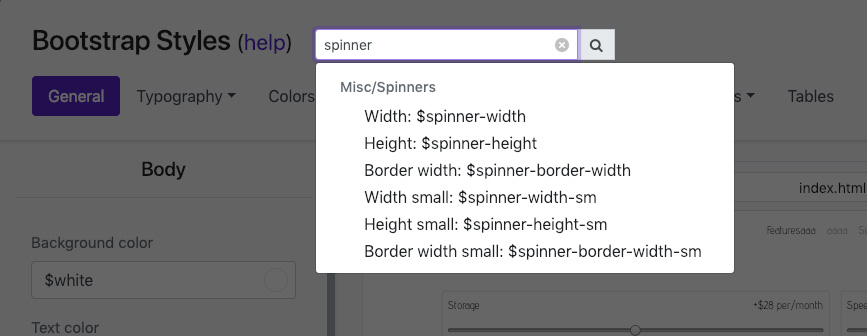
But I will start with another convenience, which will make your work faster! We added a possibility to search for Bootstrap variables, which will immediately direct you to the right bookmark.

Searching for a Bootstrap variable, you will straight away receive an information in what category it is, what’s the name of the label and the variable itself. You can of course click a variable, and then you will be redirected to the right bookmark.

What’s new in Bootstrap 4.2.1?

In the new version, Bootstrap creators added two new types of components:

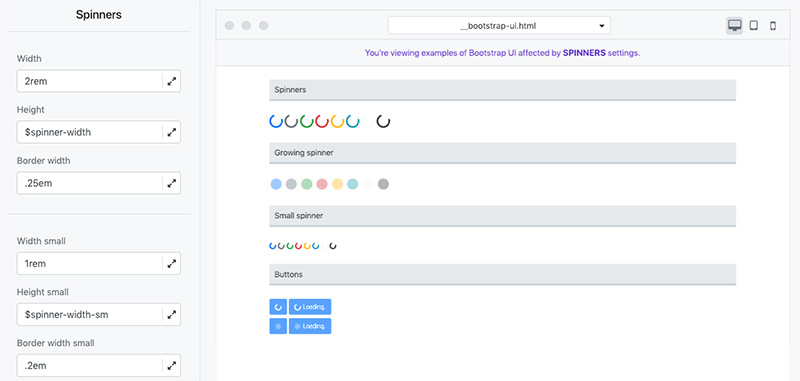
Spinners – used as indicators informing e.g. about loading of the site. All edition options made available as Bootstrap variables are of course available in the builder.

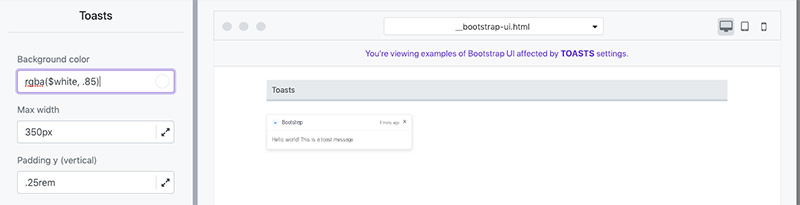
Toasts – are light messages, resembling notifications on mobile devices. In their case, you can also control the look using our builder.

Building a theme based on Bootstrap, remember to set the styles even for the components that you are not using on your site. Thanks to that, the whole template will be consistent, even in the case of adding new components in the future!

Related blog posts

Uncategorized January 29, 2026

Why Do Most AI-Generated Websites Look the Same?

Most AI-generated websites look the same because they are created from vague prompts that lack layout structure, design constraints, and clear visual intent. AI doesn’t “design” websites – it predicts patterns. When users ask for “a modern SaaS website” without further direction, the model defaults to the most statistically common layout it has seen: hero section, three […]

Benedykt Michalski

Inspirational Writer

Uncategorized January 27, 2026

How to Redesign an Existing Website Using AI?

With Shuffle Editor, you can redesign any website by simply providing its URL. Using Redesign Mode together with the Prompt Builder, you generate a new design draft, refine it in the visual editor, and integrate the updated code seamlessly with AI coding assistants like Claude Code or GitHub Copilot. This approach compresses months of work […]

Benedykt Michalski

Inspirational Writer

AI January 26, 2026

How to Write the Best AI Prompt for Webpage Generation?

The easiest way to create high-quality webpages with AI is to use Shuffle’s Prompt Builder. Instead of guessing what to type, this tool guides you through a visual step-by-step process to ensure your website matches your brand and functional needs perfectly.

Benedykt Michalski

Inspirational Writer

© 2022 Shuffle. All rights reserved.